Jira, connected to the whole operation.
Keep the maintenance system as the system of record while the crew sees its work beside the equipment and evidence that created it.
Connector
- Publisher
- Atlassian
- Category
- Work management
- Support
- Official
01Capabilities
What the Jira integration brings into view
Shared visibility
Raise and track maintenance work in the queue the site already runs. Two-way, if you allow it.
Faster diagnosis
Connect Jira work management to trends, open work, and procedures so teams can move from condition to evidence faster.
Tools for people and agents
Operators, engineers, and Millwright agents work from the same scoped assets, source data, and cited operating context.
02Docket demo
Put maintenance work beside the evidence.
See how Docket keeps operating work visible on the same asset as the trend, procedure, and people responsible for closing it.
Triage
2In progress
2Done
2

03Use cases
Jira in a unified operations workspace
- Open maintenance work from the asset and trend that prompted it.
- Keep status and ownership visible to operations and maintenance.
- Reduce copy-and-paste handoffs between dashboards and the work queue.
04Millwright Console
A better way to work with industrial data.
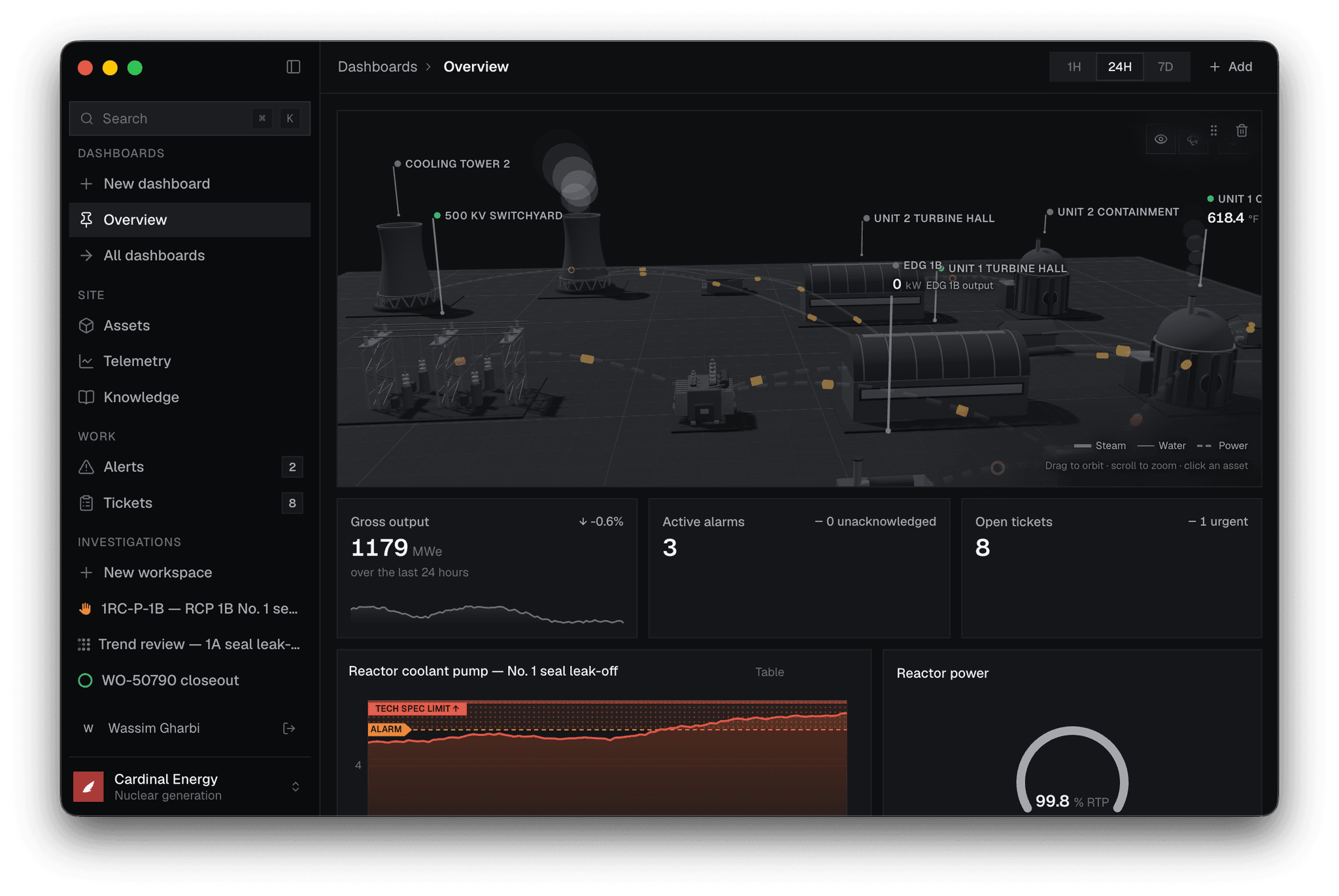
Jira becomes part of the same workspace as the site, assets, telemetry, ticketing, and operating knowledge. Crews and agents use that shared context to investigate and act faster.
05Questions
Jira integration FAQ
What does the Jira integration connect?
Raise and track maintenance work in the queue the site already runs. Two-way, if you allow it.
How does Millwright work with Jira?
Jira remains the source system. Millwright connects its work management to the rest of the operating context so teams can work from one asset view.
Can Jira data appear in a unified operations dashboard?
Yes. The integration is designed to put Jira in the same scoped workspace as the relevant asset, history, work, and procedures.
See it running on your own plant.
We are onboarding a small number of operations teams. Three questions, and we will be in touch.